Fliplet.UI.Actions()
Fliplet.UI.Actions()
Show a native-style action sheet with a title, a list of labeled options, and an optional cancel button via Fliplet.UI.Actions(). The returned Promise resolves with the 0-based index of the chosen label once its action runs, or with undefined if the user cancels.
Screenshots
| iOS and desktop | Android |
|---|---|
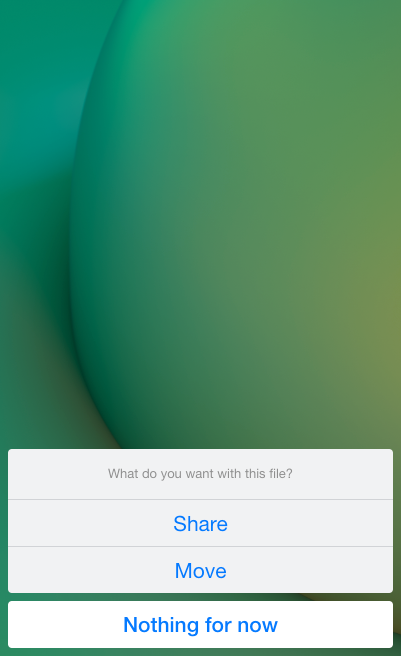 |
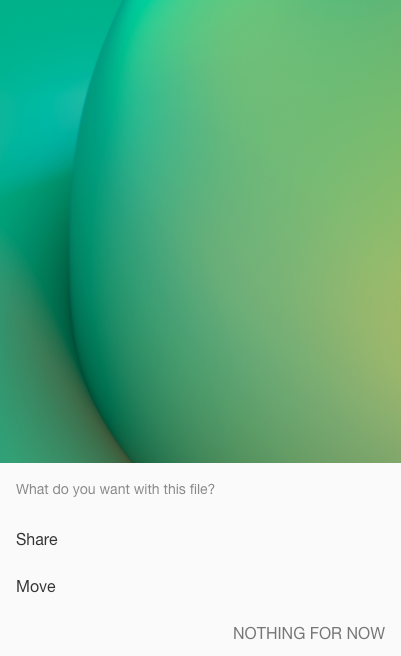 |
Usage
Fliplet.UI.Actions(options)
- options (Object) A map of options to pass to the constructor.
- title (String) A title that appears above the options.
- labels (Array) Options to show the user. Each label object contains the following properties:
- label (String) Option label to show the user.
- action (Object or Function)
- (Object) If the object contains a
typekey with a value ofcopyText, the value fortextwill be copied to the clipboard. Otherwise, the object will be passed toFliplet.Navigate.to()and executed accordingly. - (Function) If a function is provided, the function will be run with the 0-based index of the label as the first parameter.
- (Object) If the object contains a
- cancel (Boolean or String) Unless this is
falseor an empty string, a cancel button will be added at the bottom with the provided string used as the button label. (Default:Cancel)
Properties
The toast instance returned in the promise resolving function will contain the following properties.
- data (Object) A data object containing the configuration fro the Toast notification.
Examples
Open an address in Google Maps or share the address
var mapUrl = 'https://maps.google.com/?addr=N1+9PF';
Fliplet.UI.Actions({
  title: 'What do you want with this address?',
  labels: [
    {
      label: 'Open in Google Maps',
      action: {
        action: 'url',
        url: mapUrl
      }
    },
    {
      label: 'Share URL',
      action: function (i) {
        // i will be 1
        Fliplet.Communicate.shareURL(mapUrl);
      }
    }
  ],
  cancel: 'Dismiss'
}).then(function(i){
  // i will be 0 or 1 depending on users's choice
  // ...or undefined if user chooses chooses "Dismiss"
});
Copy a Google Maps address
var mapUrl = 'https://maps.google.com/?addr=N1+9PF';
Fliplet.UI.Actions({
  title: 'What do you want with this address?',
  labels: [
    {
      label: 'Copy address',
      action: {
        type: 'copyText',
        text: mapUrl
      }
    }
  ],
  cancel: 'Dismiss'
});